Wednesday, 24 August 2011
Fiammetta - by Sophia George
Sunday, 15 May 2011
Screenshots


Here are a few screenshots of my game in the Unity engine. In these images, you can see the various assets I modelled and textured.
Character Animations
Animations from Sophia George on Vimeo.
Sunday, 27 March 2011
Progress
Sunday, 6 March 2011
Texturing & head handle

Wednesday, 2 March 2011
Monday, 21 February 2011
Painting Weights

Sunday, 20 February 2011
Custom Shader

Monday, 14 February 2011
Rigging

My Character in Unity

Monday, 7 February 2011
Improved Model

Wednesday, 2 February 2011
Prototype Level

Monday, 31 January 2011
Level Building

Friday, 28 January 2011
Time Management

Unity Progress So Far…

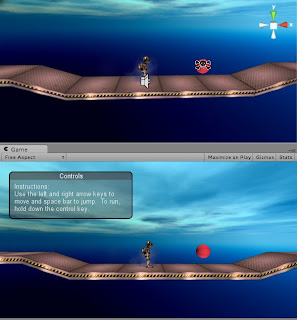
Immediately after my first hand-in, I knew it would be important to come to grips with Unity as early as possible. Therefore, I went back to the 2D gameplay tutorial that I started in BA7, and began to work on it further.
This tutorial gives you a work file and a pdf document. Last term, even though I followed the pdf closely, I still found myself with errors, such as the character respawning when he jumps. After researching, it was extremely simple to fix and I even got my character to respawn after falling down a hole. I then made a few platforms to jump to, and adjusted the camera.
Here are the things I learned from the Tutorial:
• Learned how to restrict movement to a 2D plane;
• Built level with tileable platforms;
• Set level boundaries;
• Been introduced to Gizmos;
• Explored the fundamentals of setting up a Character;
• Explored the complexities of setting the camera;
• Seen how to make a strict orthographic camera view;
• Learned how to place and make Rigidbodies;
• Used waypoint system to create moving platforms;

Also in the tutorial, I learned about “Skyboxes.” A skybox is a special kind of background which makes the level environment look bigger. The skybox’s image is made by cube mapping, which involves putting six different textures on cube faces.


I firstly wanted to add enemies to the game which move around and destroy the player on contact. Since this mechanic was not on the 2D gameplay tutorial, I had to look up how to do this myself using scripting. The 2D gameplay tutorial only used Javascript, yet the coding I used for the enemy was in C#. I changed the enemy’s code from C# to Javascript using the script reference on the Unity Website. This was a very helpful resource, as it showed script examples in different languages. I used a simple sphere to represent my enemy. Fortunately, the mechanic worked.


Wednesday, 26 January 2011
Monday, 24 January 2011
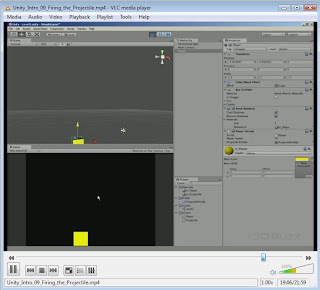
Modelling Warm-Up: Projectiles

Sunday, 28 November 2010
Project Summary
I now think it’s necessary to briefly evaluate my work for this term, in order to ensure that I have done the work that was outlined in the learning agreement.
I started the project my creating an extensive research document, containing all kinds of necessary information that I needed to look at for my game idea and design document. I feel that the research that I have done was well thought out and relevant to my project. I made sure that I looked at current and emerging areas relating to my project, such as the current trends in game engines, art, fashion and new games. (LO1)
I also researched areas that will help me understand contextual, historical and ethical theories about my subject area. For example, I researched the common mechanics of platform games by looking at games designer Scott Rogers and also by looking at the levels of early Mario games from the 80s. I also look at various art and games. Furthermore, in my design document, I was conscious on how to portray female characters. This is due to the work on gender I done for my research report, where I thoroughly looked at the topic. I feel very conscious that I may have created too much research, yet I couldn’t cut any of my work out, as it was all vital to my project. (LO2 &LO3)
Using my research, I made many informed decisions and judgements about my project. For example, I research games engines to find out that Unity is the best kind of program for my game. My research overall helped to prepare for next term, such as what to make in 3D for my project. (LO4)(LO5)
Finally, I feel that my design document and research is well presented, with text and images, so that it is clear and easy to read. I tried my best to match the aesthetics of the documents to the theme of my game. (LO6)
Next, my aim is to learn more about Unity over the Christmas Break, and to get started on creating my characters: developing designs and making 3D models. Overall, I am pleased with my work this term and I feel that I have set myself up for some challenging and interesting work to develop.
Saturday, 27 November 2010
Flash Game
Here is (a very low quality) game-play clip of the Flash game.Flash Prototype from Sophia George on Vimeo.